
Photo guide
How to remove the background from a car photo (without it looking fake)
Short answer
Any background remover can cut a car out of a photo. The hard part is what makes the result believable: wheel spokes, glass the old background still shows through, the old scene reflected in the paint, and the ground shadow that keeps the car from floating. Generic tools fail on those four; vehicle-specific background replacement rebuilds them. Free tools are fine for one car, once — a dealer lot every week is a different problem.
How do you remove the background from a car photo?
Mechanically, it is easy: upload the photo to a background remover and it returns the car as a cutout on a transparent or plain backdrop. For most objects that is the whole job. For cars it is maybe half of it — a vehicle is a two-ton object made of mirrors, glass, and gaps, and the background you removed is still present inside the car: through the windows, reflected in the doors, implied by the shadow.
So the real question is not “how do I remove the background” but “how do I replace it so the car looks like it was photographed in the new scene.” That is a harder problem and the one worth judging tools on.
Why do generic background removers struggle with car photos?
Four places, every time. Wheels: spokes and the gaps between them are fine detail that generic edge detection smears or fills, leaving mushy rims. Glass: windows are transparent, so the old parking lot stays visible through the cabin even after the “removal” — the single most common tell. Reflections: automotive paint is a mirror, and the old scene stays smeared across the doors and bumper of the “clean” cutout.
And shadow: cut the car out and it loses contact with the ground, producing the pasted-on, floating look everyone recognizes instantly. A believable result needs a rebuilt shadow that matches the new scene’s light — which a remover, by definition, does not do.
Is a free background remover good enough for car photos?
For one car, one time — genuinely yes. Selling your own vehicle, you can run the hero shot through a free tool, clean up the edges by hand, set it on a plain backdrop, and come out ahead of most private listings. The math breaks at dealer scale: minutes of cleanup per photo, times a twenty-photo set, times a forty-unit lot, times weekly inventory turn — hand-editing becomes a hire. And the free tier’s output — a floating car on white — reads as clip art next to competitors whose re-staged listings look shot in a studio. Free is the right answer exactly as long as volume is one.
What is car background replacement — and how is it different from removal?
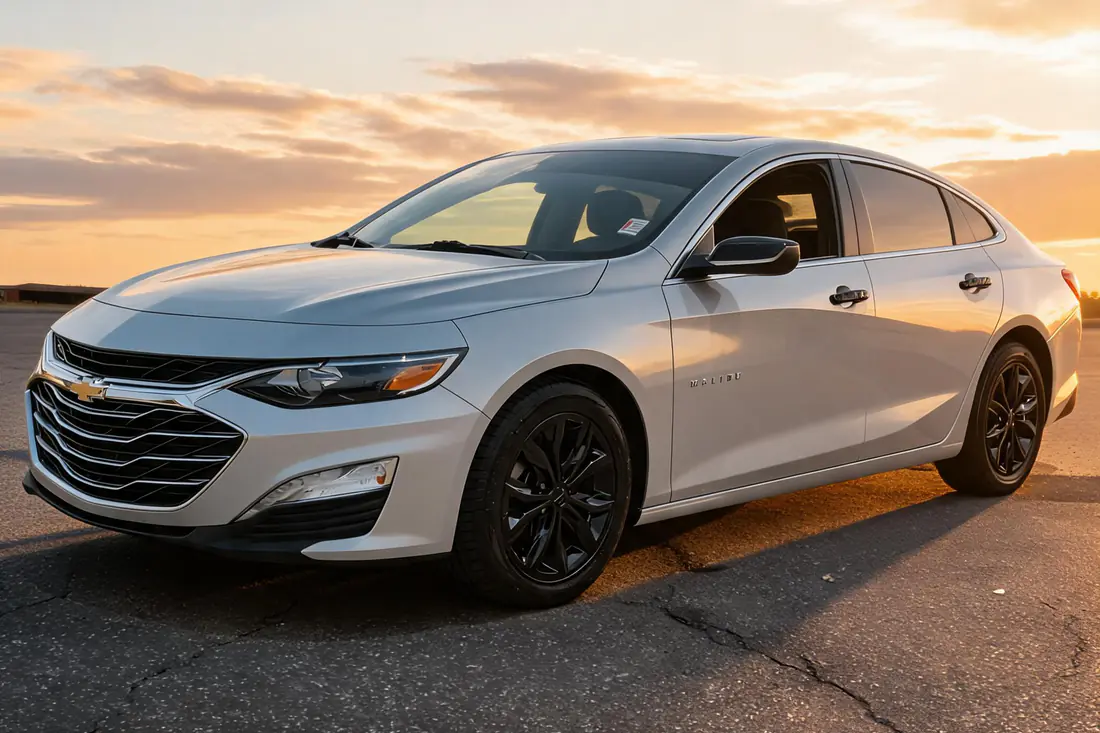
Removal ends with a cutout. Replacement ends with a photograph: the vehicle re-staged in a new scene with the ground shadow rebuilt, the paint reflections cleaned so the old lot is not still smeared on the doors, and the glass showing the new environment instead of the old one. Done right, it does not look edited — it looks like the car was driven somewhere better and shot again.
That is what a vehicle-specific AI car photo editor does, and why it is a different product category from a general-purpose remover: it was built around the four automotive failure points instead of tripping over them.
What a finished replacement should look like
Judge any tool — including ours — against this list on your own inventory:
- The car sits on a rebuilt shadow that matches the scene’s light — no floating.
- Windows show the new scene, not ghosts of the old parking lot.
- Wheel spokes stay crisp, with real gaps between them.
- No halo or fringe at mirrors, antennas, roof racks, or spoilers.
- Paint color, badges, and trim are untouched — the car is exactly the car.
- Light direction on the vehicle agrees with the light in the background.
Generic remover vs vehicle-specific replacement
| Generic free remover | Vehicle-specific replacement | |
|---|---|---|
| Wheels and spokes | Often smeared or filled in | Preserved with clean gaps |
| Glass | Old background still visible through windows | New scene visible through the glass |
| Paint reflections | Old scene stays mirrored in the panels | Cleaned to match the new scene |
| Ground shadow | Removed — the car floats | Rebuilt to match the new light |
| Output | Cutout on transparent or flat color | A finished, listing-ready photograph |
| Best for | One car, one time | A lot that turns inventory every week |

Frequently asked questions
What is the best app to remove the background from a car photo?
Judge candidates on the four automotive failure points instead of brand names: run one of your own photos through and inspect the wheel spokes, whether the old background still shows through the glass, what is reflected in the paint, and whether the shadow survived. General-purpose removers fail at least one; tools built specifically for vehicles are the ones that pass all four.
Can I remove the background from a car photo for free?
Yes, and for a single private sale it is often the right call — free removers produce a usable cutout you can tidy by hand in a few minutes. Expect to fix edges around mirrors and spokes yourself, and accept the flat-backdrop look. The free approach stops making sense when the photo count is a lot’s worth rather than a car’s worth.
How do dealers edit car photos at scale?
They stop editing photo-by-photo. Dealer-grade car photo editing runs as a pipeline: the photos already in the inventory feed go through AI background replacement automatically, and the finished images flow onto the listings — AutoLander does exactly this and then posts each unit to Facebook Marketplace with its re-staged set. Nobody at the store opens an editor.
Should the new background be a studio or an outdoor scene?
Either works — what converts is consistency and plausibility. Pick one look, apply it to every unit, and make sure the light on the car agrees with the scene behind it. A mixed lot of studio shots, sunset shots, and raw photos reads as chaotic; fifty units in one consistent scene reads as a professional operation.
Is it okay to edit car listing photos at all?
Editing the scene is normal merchandising — dealers have staged cars in front of nicer backdrops since photography met car sales. Editing the vehicle is deception: color, wheels, trim, and damage must appear exactly as they are in person. The test is simple: if the buyer arriving on the lot sees the car the photos promised, the edit was honest.
Backgrounds replaced, nothing else touched
AutoLander’s AI Photo Studio re-stages every feed photo — shadow, glass, and reflections rebuilt — and posts the finished set to Facebook Marketplace with each unit.
See plans & book a demo →Plans from $39/mo • 5 free posts • no credit card • cancel anytime